 Google Flow
November 17, 2025 (February 11, 2026)
Table of contents
- Create a dedicated Gmail account
- Clear all browser cookies
- Navigate to Google Flow and login with your Gmail account
- Navigate to Google Account
- Copy
https://accounts.google.com/cookies - Verify and add account
- Configure Captcha Providers
Approximately 15 minutes to complete setup steps.
This is the setup guide for Google Flow API. An active Google account and a useapi.net subscription are required for the API to work.
Google Flow creates cinematic AI clips with Veo, images with Imagen 4 and Nano Banana / Gemini 2.5 Flash Image.
Create a dedicated Gmail account
⚠️ Use a dedicated Gmail account for this API - do NOT use your personal Gmail account.
If you already have a dedicated Gmail account for AI/API services, you can use that. Otherwise, create a new one.
When creating a new account:
- Enable 2-Step Verification
- Use Google Authenticator for verification codes
Clear all browser cookies
⚠️ Do NOT use Google Chrome. Google’s integration with Chrome will interfere with cookie extraction.
Use one of these browsers instead:
- Opera ← Recommended (has built-in VPN)
- Brave
- Ungoogled Chromium
If using Opera, enable VPN and set region to Americas.
You must clear ALL cookies before proceeding to start with a fresh session.
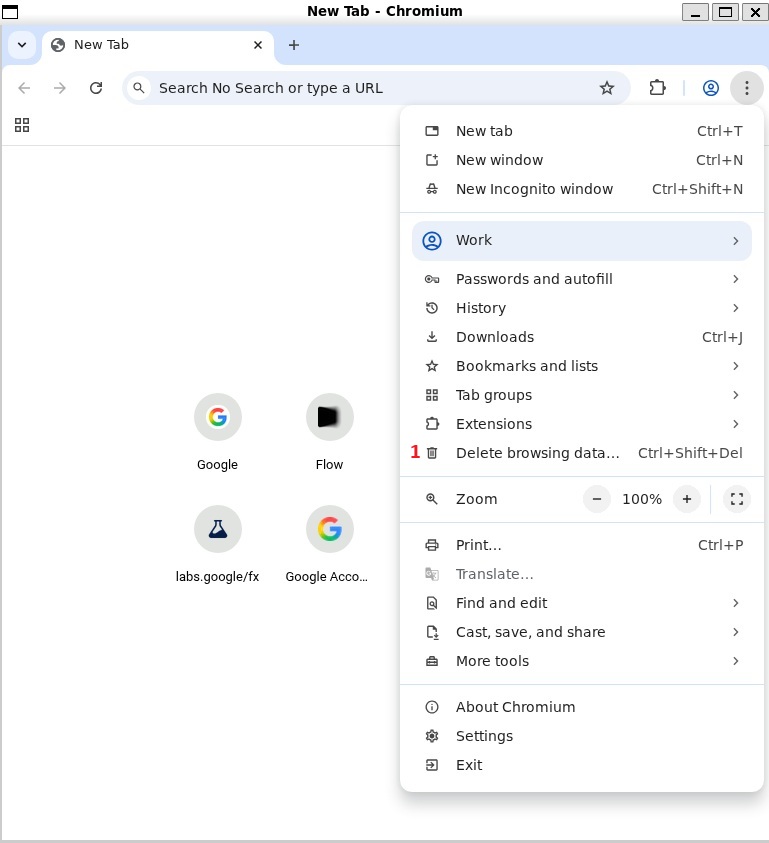
Open browser settings and select Delete browsing data... 1
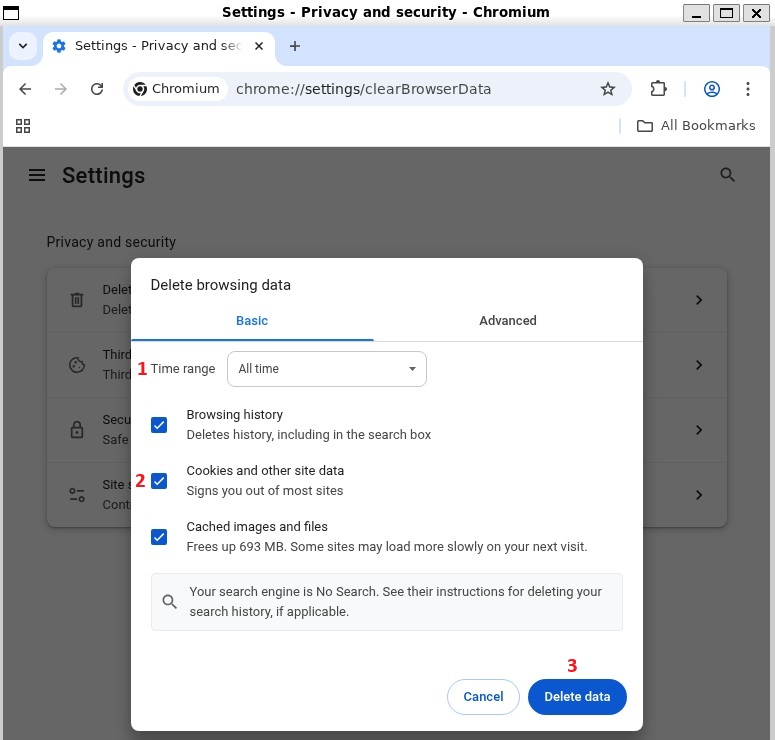
Select time range to be All time 1 and check Cookies and other site data 2, click Delete data 3
Navigate to Google Flow and login with your Gmail account
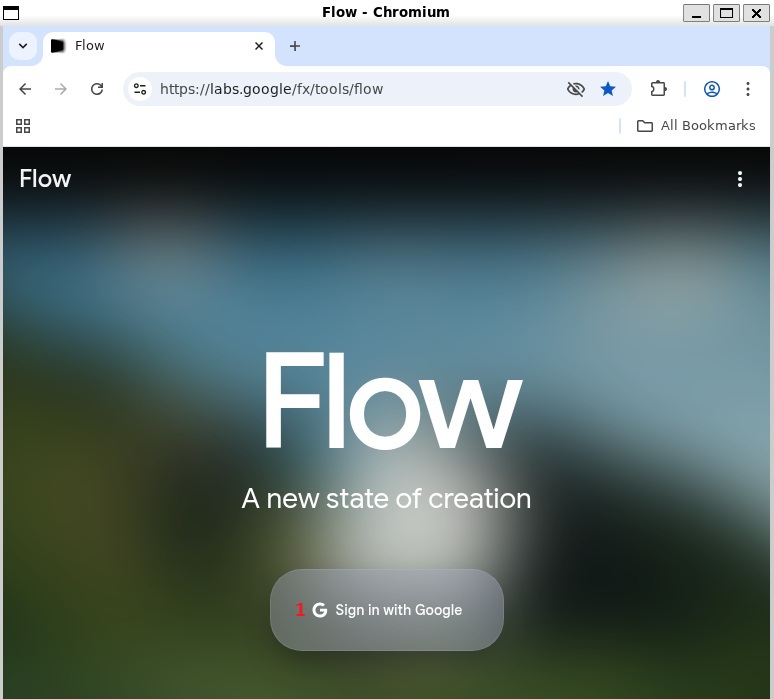
Navigate to https://labs.google/fx/tools/flow and click on Sign in with Google button 1
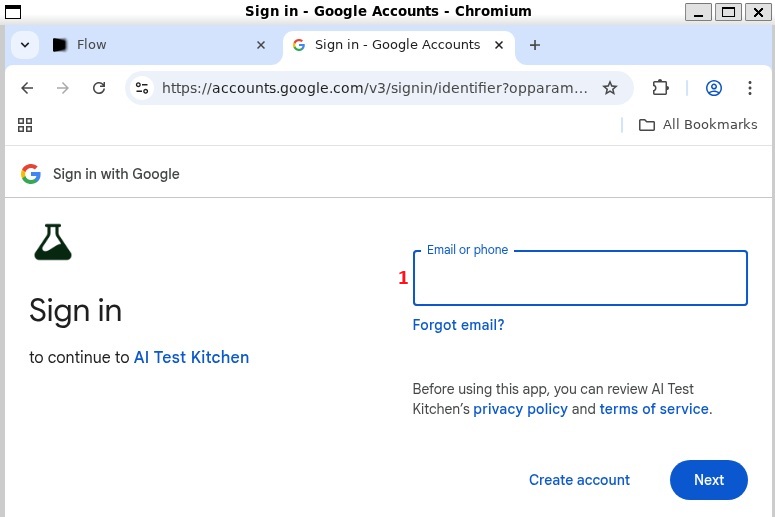
Enter your Google email created earlier 1
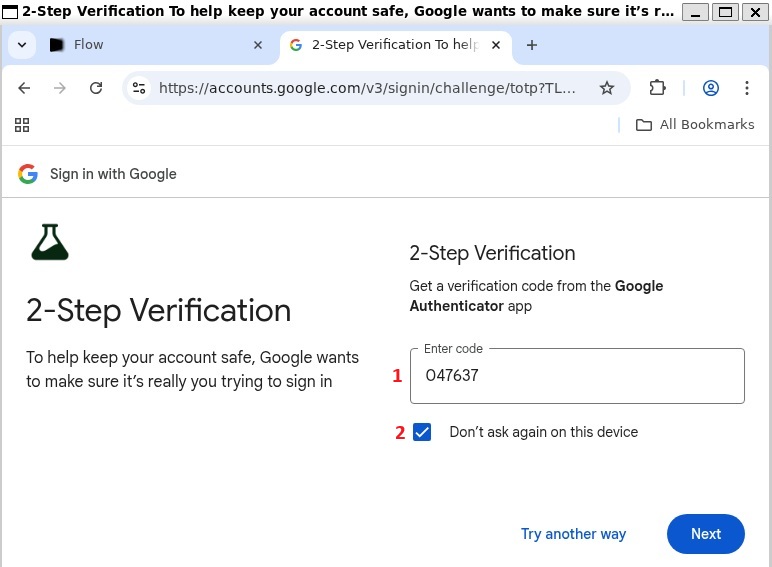
Enter 2-Step Verification code 1
⚠️ You MUST check Don't ask again on this device 2 - skipping this will break the API session.
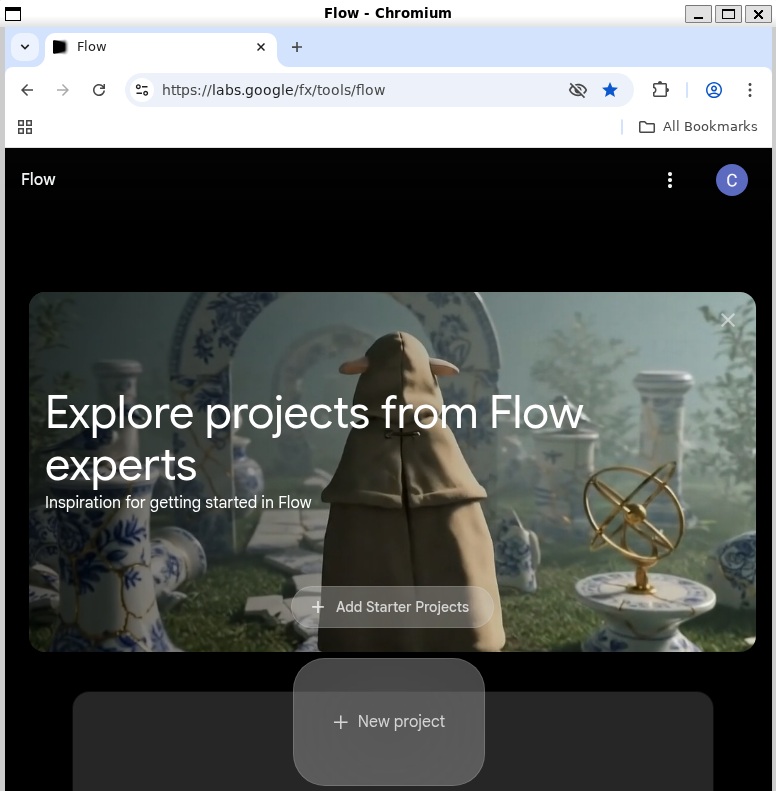
Once successfully logged in you should see New project button
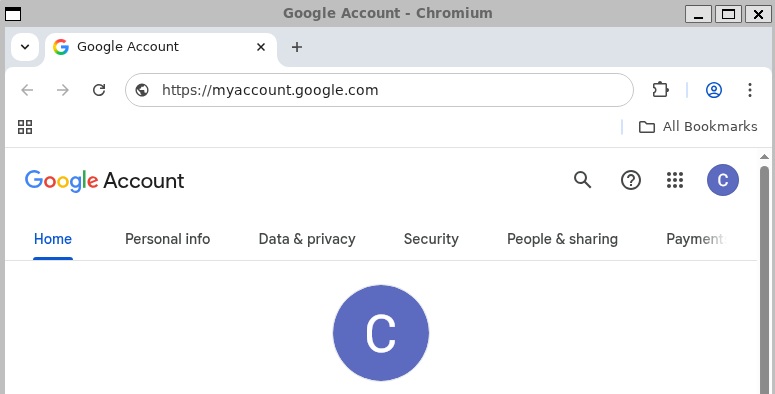
Navigate to Google Account
Navigate to https://myaccount.google.com/
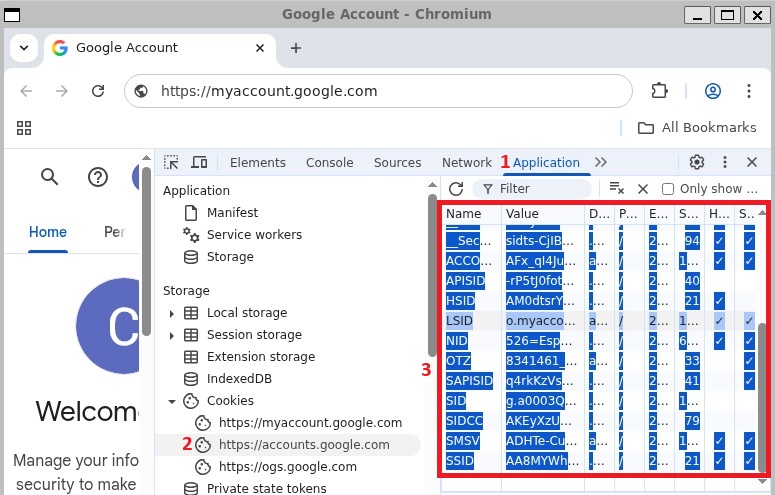
Copy https://accounts.google.com/ cookies
- Open Developer Tools: right-click anywhere on page → select
Inspect(or pressF12)
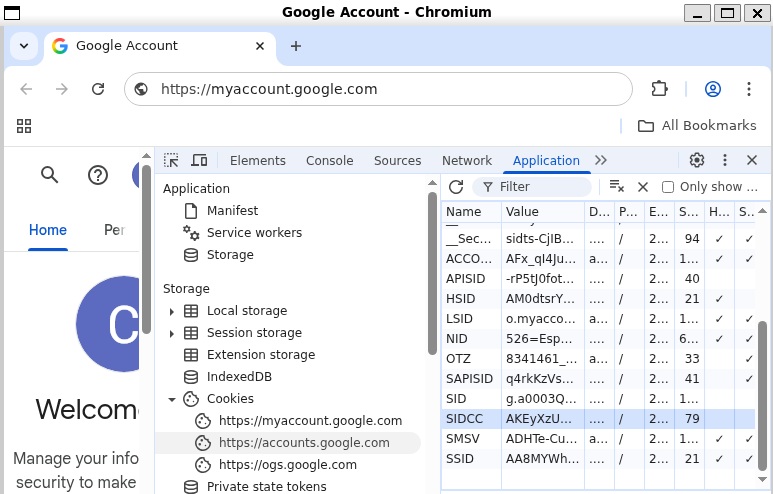
- Go to Application tab
1 - Select Cookies →
https://accounts.google.com/2 - Select all cookies in the right panel (
Ctrl+A) and copy (Ctrl+C)3
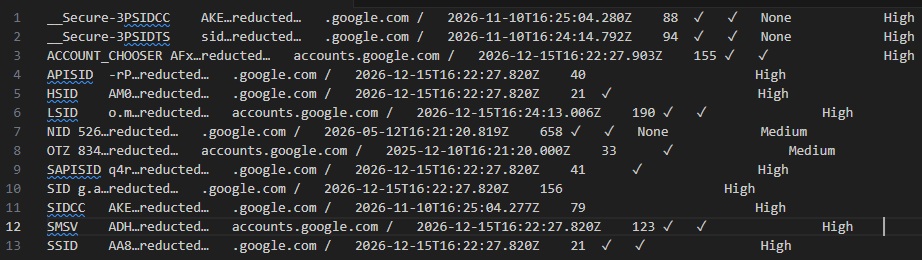
Your copied cookies will look similar to this (values redacted):
Verify and add account
Use the form below to verify your cookies and add your Google Flow account.
Select Add Account to complete setup, or Verify to test your cookies first. You should receive response 200 if successful. You can also use POST /accounts directly.
⚠️ CRITICAL — Do this immediately after adding your account:
- Open a new empty tab
- Close all other tabs
- Clear all browser cookies
- Do NOT restart the browser
⚠️ The API now manages this Google account session.
Do NOT access this Google account via AI Studio or Google Flow directly (browser or any other means). Using the same account through both the API and direct access will break the session and require you to redo this entire setup.
Configure Captcha Providers
Image and video generation requires reCAPTCHA v3 Enterprise solving.
Users receive 100 free captcha credits when adding their first Google Flow account. These credits are used automatically, so you can start generating images and videos right away without configuring any provider. Check your remaining credits via GET /accounts/captcha-providers.
After free credits are exhausted, you must configure at least one provider’s API key before using POST /images, POST /images/upscale, or POST /videos.
Supported Providers:
| Provider | Cost per 1K | Avg Solve Time | Website |
|---|---|---|---|
| AntiCaptcha | ~$2.00 | ~8-12s | anti-captcha.com |
| EzCaptcha | ~$2.50 | ~8-12s | ez-captcha.com |
| CapSolver | ~$3.00 | ~8-12s | capsolver.com — use promo code useapi for 8% discount |
| YesCaptcha | varies | ~8-12s | yescaptcha.com |
| SolveCaptcha | ~$0.80 | ~30-60s | solvecaptcha.com |
| 2Captcha | ~$2.99 | ~30-60s | 2captcha.com |
Setup Steps:
- Create an account with one or more providers above
- Purchase credits and obtain your API key from the provider’s dashboard
- Configure your API key(s) using POST /accounts/captcha-providers
Tips:
- Use GET /accounts/captcha-stats?anonymized=true to compare success rates across providers and choose the best one for your needs. Note that provider performance may vary over time.
- Configure multiple providers for redundancy (if one fails or returns rejected tokens, the API automatically retries with the next provider)
- Each image/video generation attempt requires one captcha solve (~$0.80-$3.00 per 1,000 generations)